

Bright Data offers promo codes to save money on your subscription plans. You can get exclusive discounts on specific products or services by applying a promo code. This guide will show you everything you need to know about the promo codes.Documentation Index
Fetch the complete documentation index at: https://docs.brightdata.com/llms.txt
Use this file to discover all available pages before exploring further.
How to Apply a Promo Code
To apply a promo code to your subscription plan, follow the steps below:Step 1. Go to the Billing page
Go to the Bright Data website
Visit Bright Data page and sign in to your account.
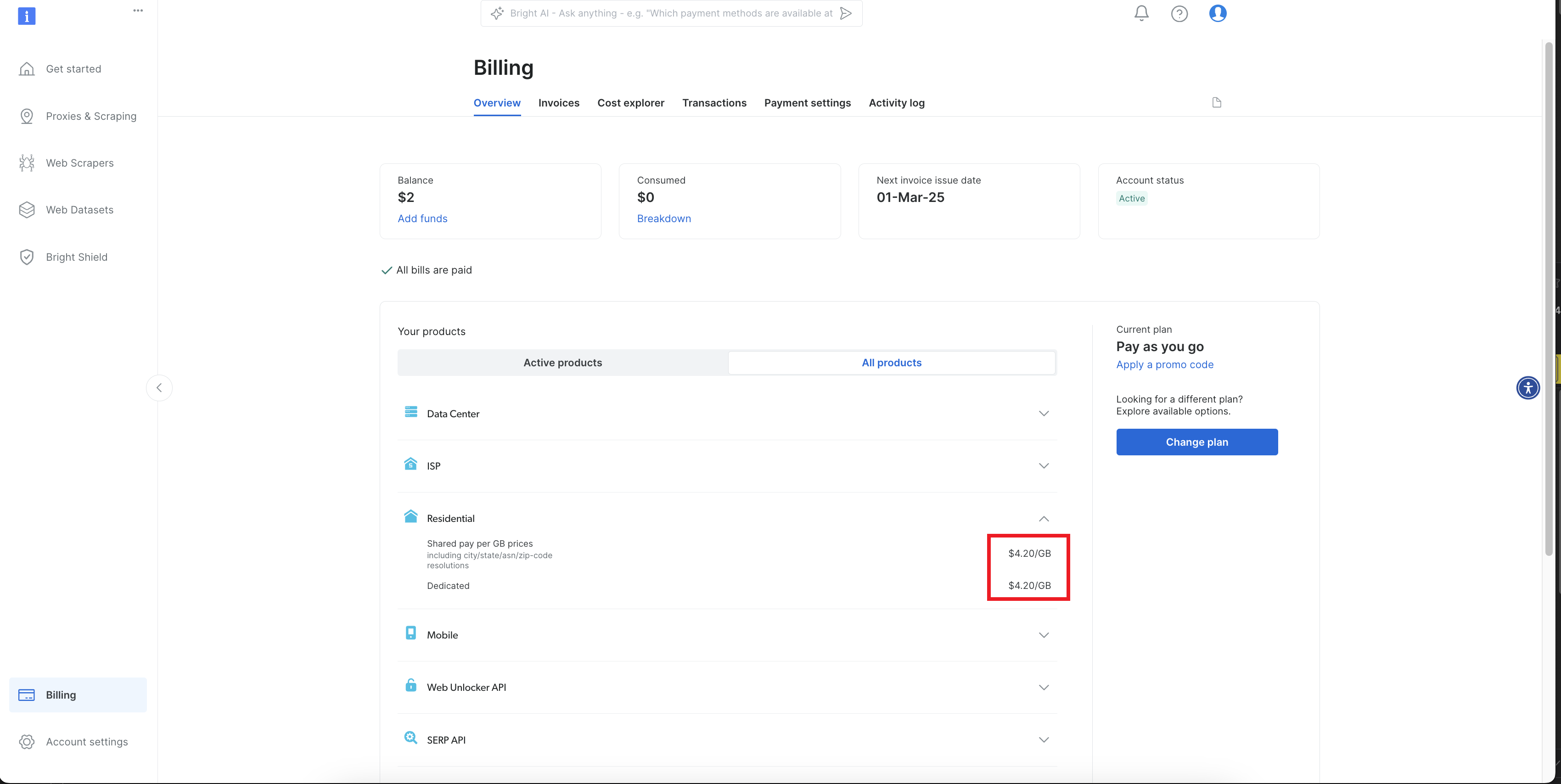
Go to the "Billing" page
Click on the Billing page on the left navigation bar.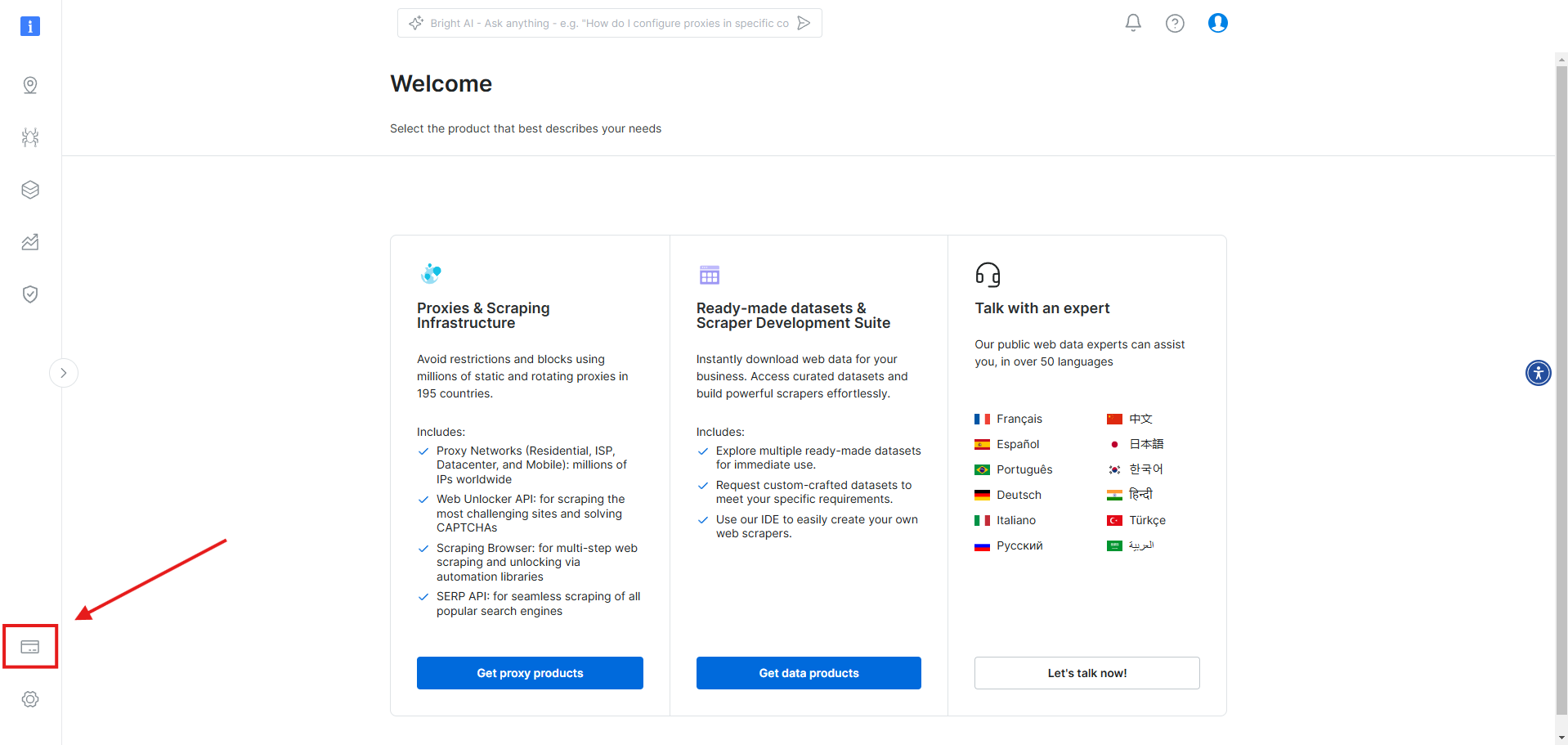
Step 2. Apply the Promo Code
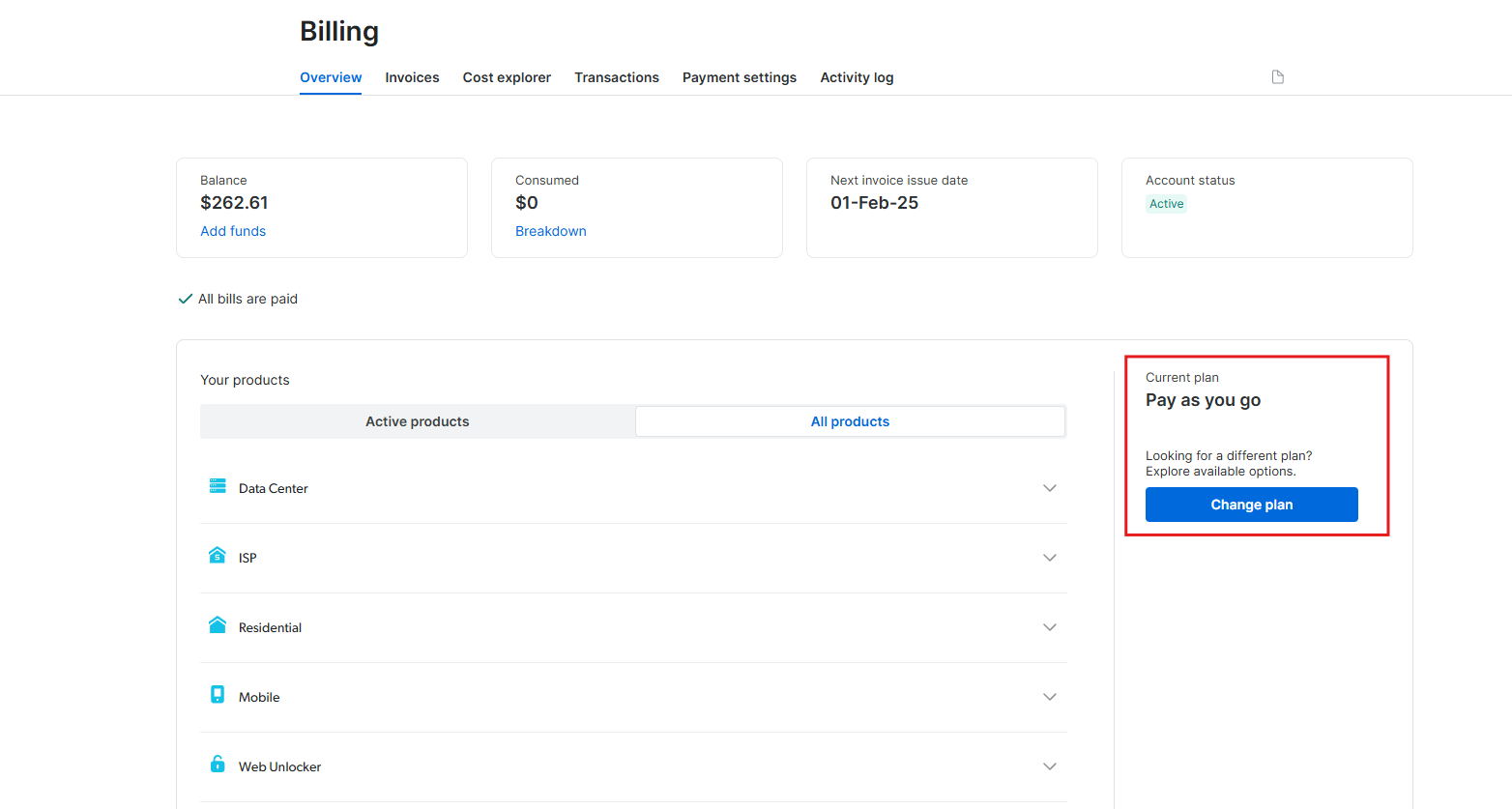
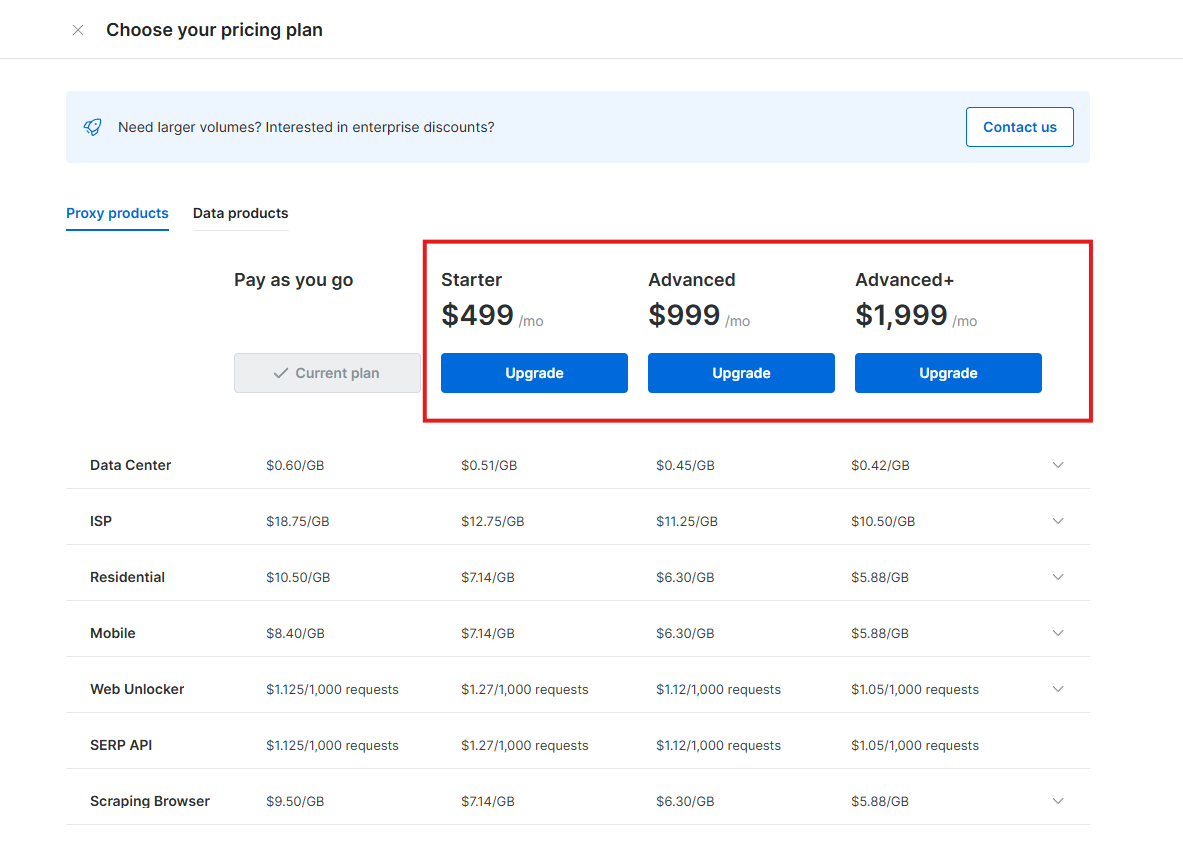
You can choose to apply the promo code in one of two ways:- Pay as you go plan
- Subscription plan
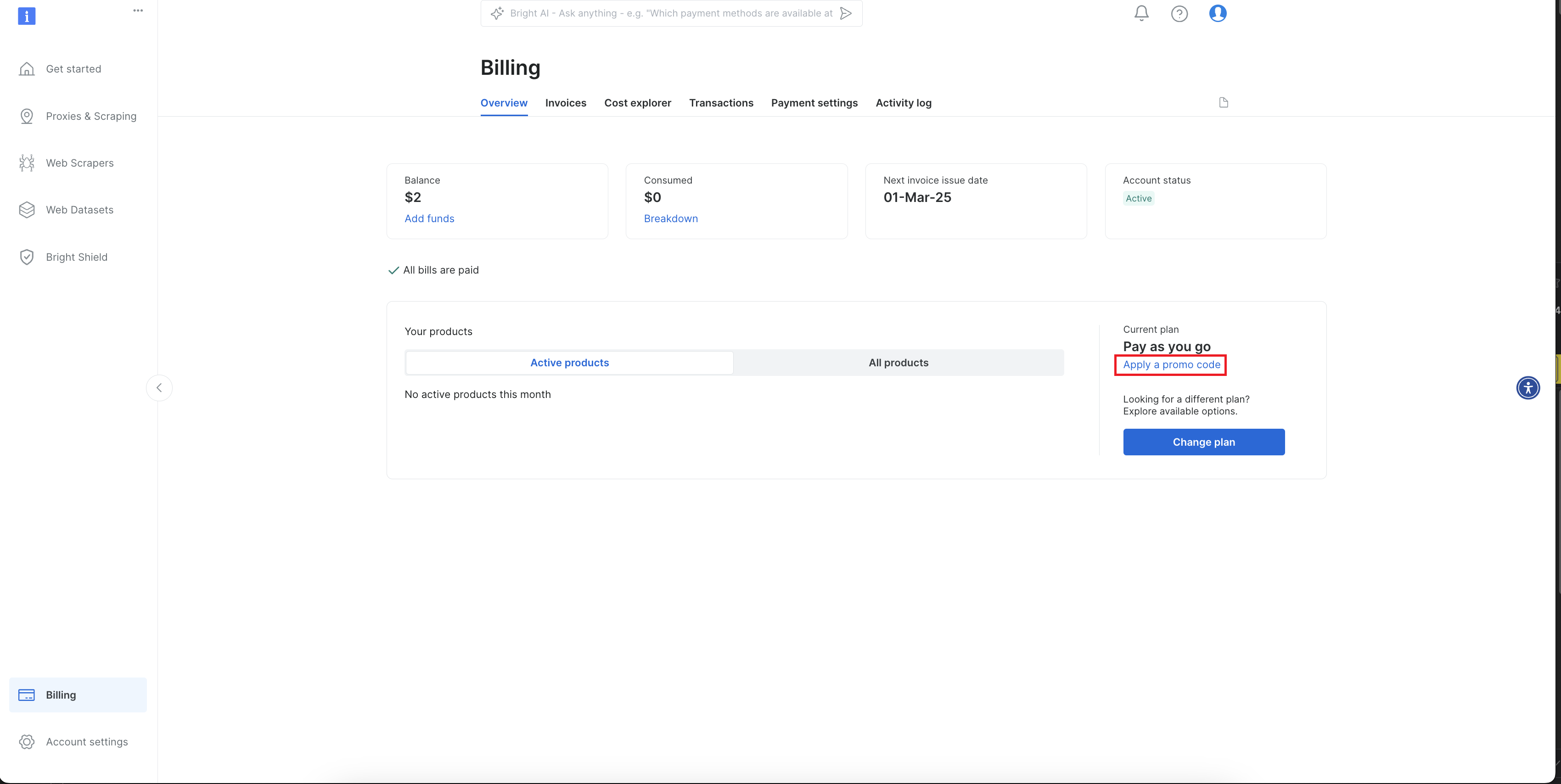
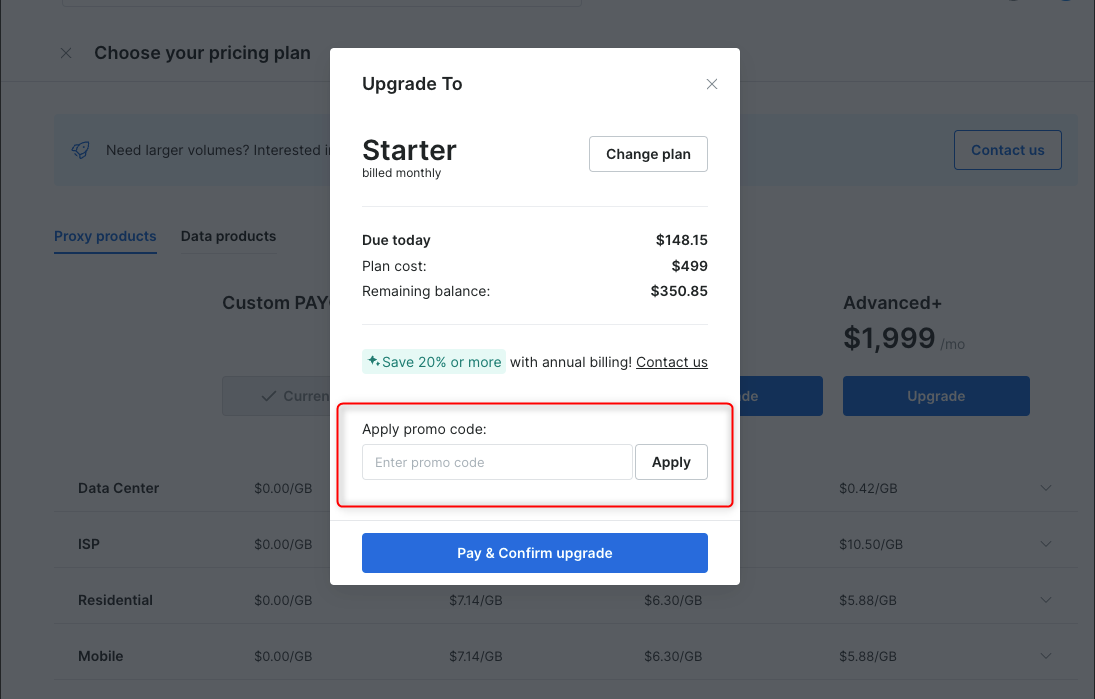
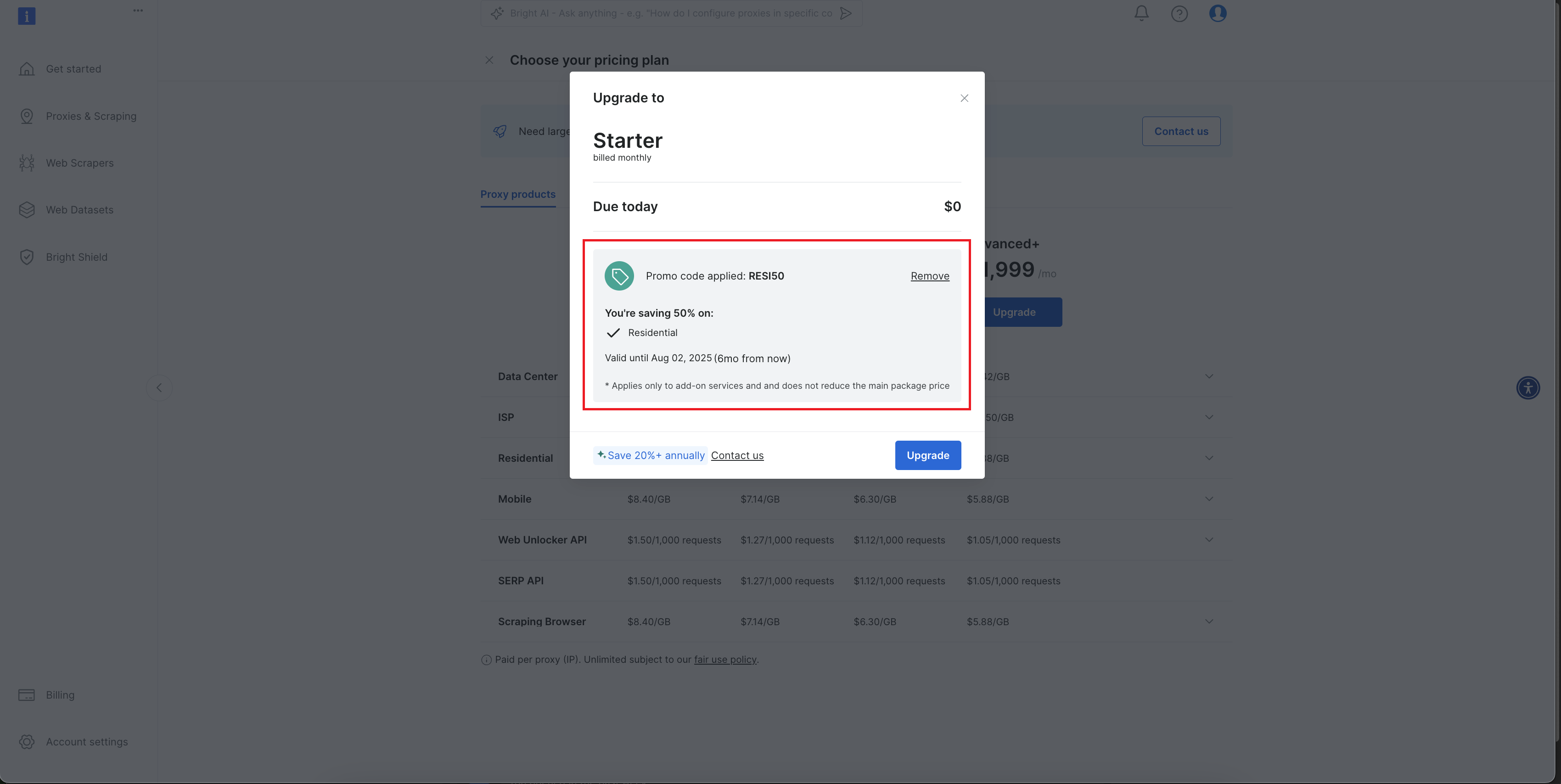
Enter the Promo Code
To activate the promotion, enter your code in the “Enter promo code” field, then click “Apply.”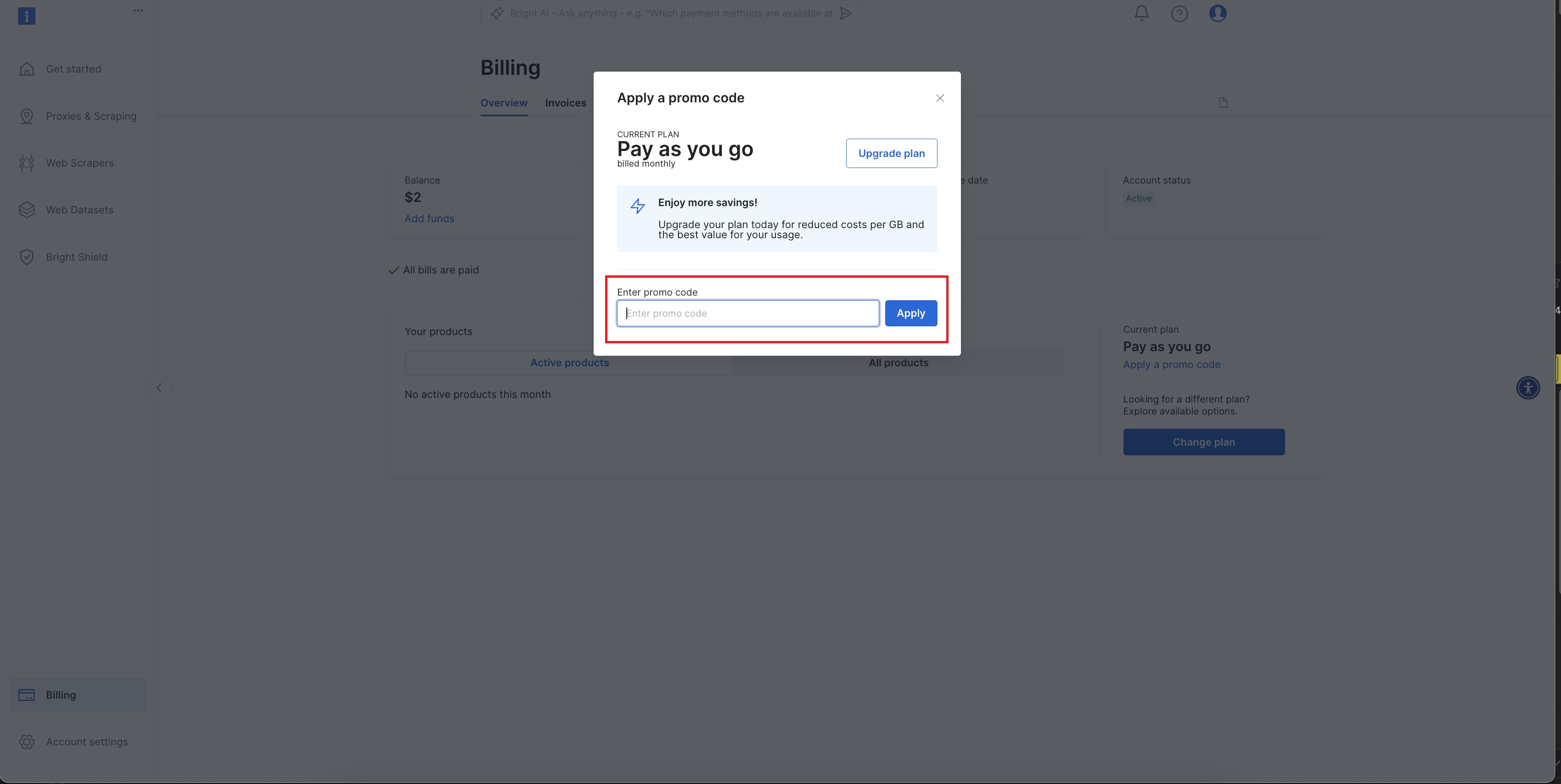
Congratulations 🎉
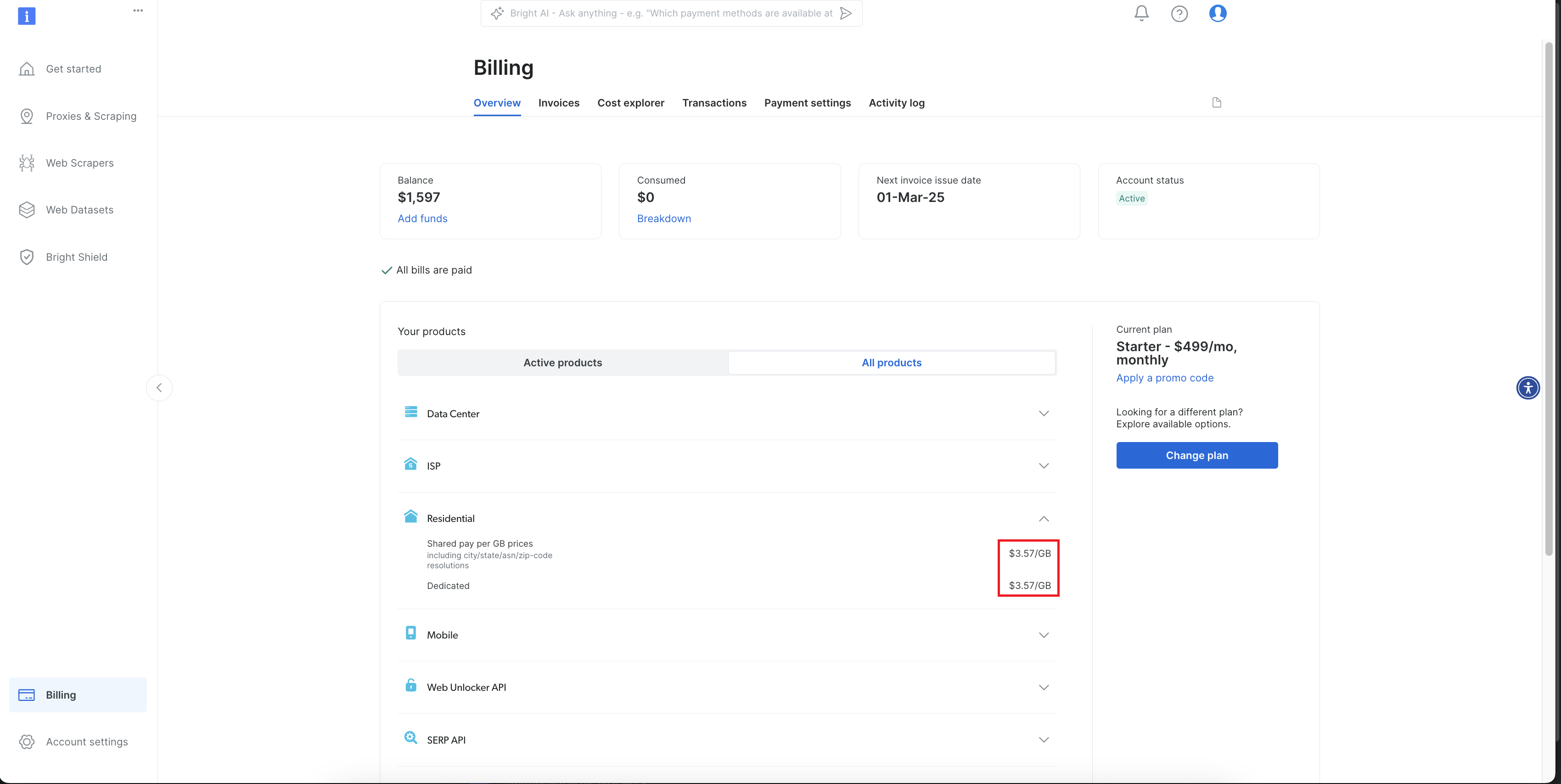
You have successfully activated the promo code, and your new discounted rates have been applied to your plan.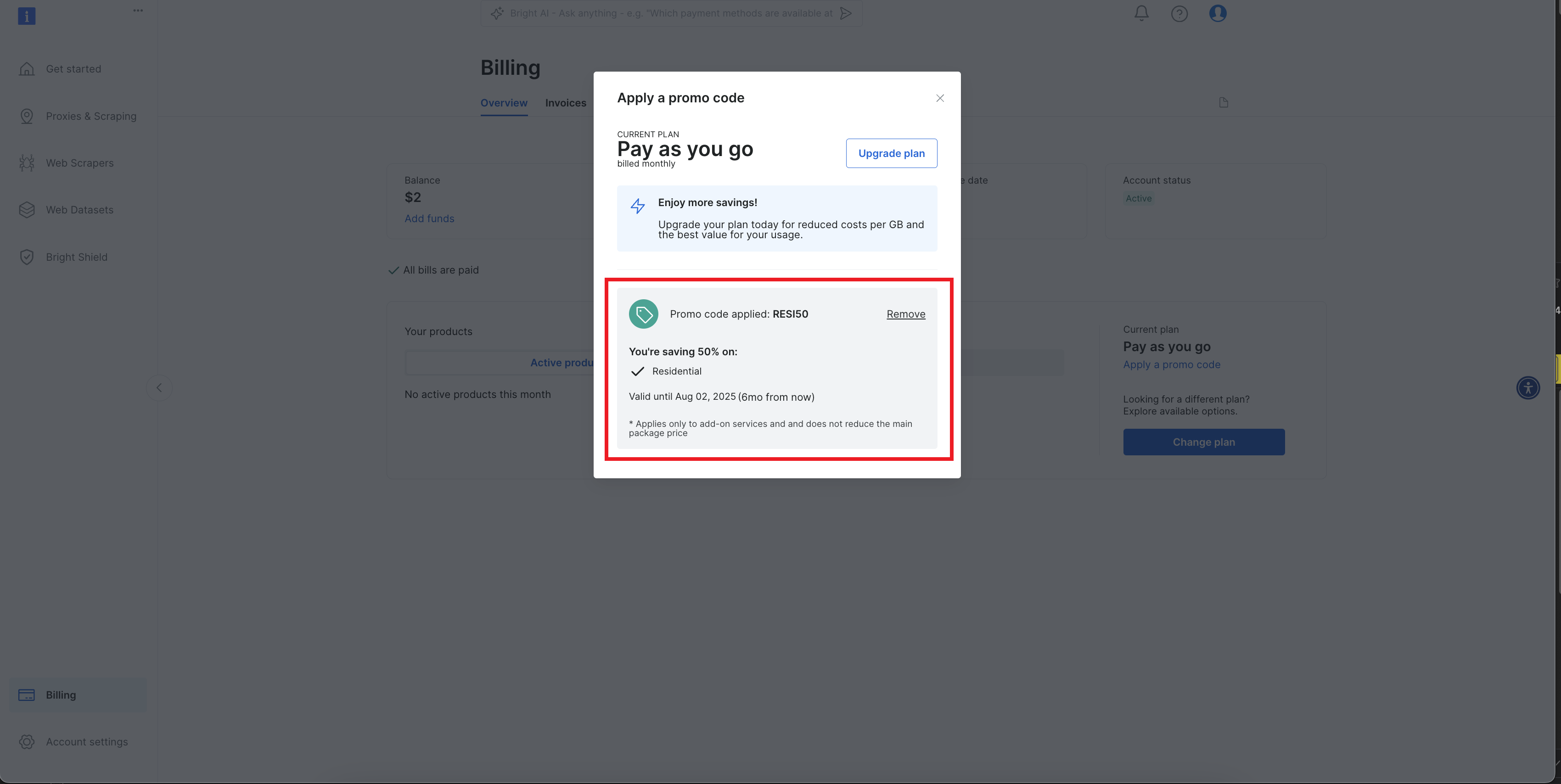
FAQs
Do the promo codes work with the 'dollar-for-dollar' first deposit matching promo?
Do the promo codes work with the 'dollar-for-dollar' first deposit matching promo?
Yes, you can use both a promo code and the dollar-for-dollar matching promotion together.The promo code will be applied directly to your subscription plan, reducing the cost of your plan. Additionally, we will match your first deposit dollar-for-dollar, up to $500. The matched promotional credits are valid for 90 days. To maintain the bonus, a minimum monthly usage of $5 is required.
The matching dollar for dollar credit works for the first deposit only.